- Multiple passwords
- Separate CSV files
- Manual onboarding and offboarding
- Separate applications
- Limited visibility
ACCESS · IDENTITY · ROSTERING · ANALYTICS
Your school already has technology.
Let’s make it easier to manage.
ClassLink connects people, systems and applications to simplify access, automate accounts and class rosters, and understand how your digital ecosystem is used.
Didactics helps you assess your needs. ClassLink implements and supports the platform.
Initial check · 5 questions · No commitment
ONE PORTAL. YOUR RESOURCES.LaunchPad
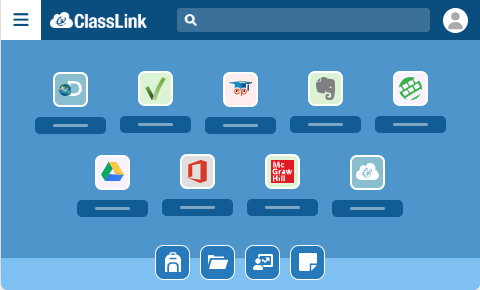
SIS / DirectorySource systems→ →Apps / ResourcesEducational apps
→Apps / ResourcesEducational appsA platform with
global reach.
25M+students and staff
3,000+school systems
42countries
6,000+SSO connections
Source: ClassLink ↗Checked: Sep 28, 202601 / START WITH WHAT TAKES UP YOUR TIME
What would you like to simplify?
You don’t need to know ClassLink’s products. Choose the situations that sound like your institution. You can select more than one.
Start with a real situation.
Choose a challenge to see what could change and what to review.
02 / YOUR DIGITAL ECOSYSTEM
What does your institution use today?
Select the components in your current environment. You don’t need to know every technical detail.
ClassLink helps connect systems, users and apps to simplify access, automation and visibility.
03 / DIGITAL ECOSYSTEM CHECK
How easy is it to manage your digital environment today?
Five questions to identify what is worth reviewing. No scores or “right” and “wrong” answers.
An initial guide, not a technical or security audit. See your results without sharing contact details.
Let’s start with what you know.
Not sure? That is a useful starting point too.
5 questions · No sign-upCLASSLINK FOR YOUR ROLE
What is your perspective?
Private schoolsInternational schoolsSchool networksUniversities: scope depends on architecture
THE CHANGE, AT A GLANCE
What changes when your ecosystem connects.
- Centralized access
- Rostering that can be automated
- Manageable account lifecycle
- Connections based on compatibility
- Usage information
Scope depends on your architecture. Automation does not remove the need for all team involvement.
VISIBILITY
Do you know which tools you pay for
but barely use?
Analytics shows usage of apps accessed through LaunchPad: who signs in and how often.
Digital resource usageIllustrative example · Sample data
Active users / sample licenses. Usage labels are illustrative, not official thresholds. Access alone does not measure learning or justify canceling a tool.
Would you renew all three in the same way?
Explore each app before deciding on renewal, training, adoption and investment.
04 / A CONNECTING LAYER FOR YOUR ECOSYSTEM
From separate systems to a connected environment.
SIS / source systemDirectory / identity
AccessOpen your resources
IdentityManage accounts
RosteringUpdate class rosters
AnalyticsUnderstand usage
AppsResourcesUsers
The final architecture depends on each institution’s systems and requirements. Compatibility and integration scope are confirmed during discovery.
05 / CLASSLINK
One platform. Different needs.
Now explore the components related to the challenge you want to solve.
LaunchPad
Secure access and single sign-on.
User → Portal → App
Explore on ClassLink ↗OneSync
Account management and automation.
Source system → Account
Explore on ClassLink ↗Roster Server
Centralized sharing of student and class data.
Classes → Platforms
Explore on ClassLink ↗Analytics
Visibility into adoption and usage.
Usage → Insight → Decision
Explore on ClassLink ↗Additional capabilities and options
Analytics+ · DataGuard · MFA · ThreatScan · AppTrack
The final scope is defined by each institution’s needs.
Analytics+
Broader measurement of resources outside LaunchPad, depending on deployment.
Official information ↗DataGuard
A Roster Server add-on that masks selected personal data shared with apps.
Official information ↗Scope, security options and licensing are confirmed in your proposal. Analytics+ and DataGuard are add-ons; MFA is an authentication capability. Not every option is included in every agreement.
WHO IT HELPS
ClassLink starts to make sense when your technology starts to multiply.
Private schools
International schools
School networks
Institutions with multiple platforms
IT teams managing hundreds or thousands of users
Institutions seeking better visibility into their digital investment
There is no minimum number of users to start a conversation.
06 / YOU DON’T HAVE TO IMPLEMENT IT ALONE
From assessment to implementation.
Didactics guides the commercial process and helps understand each institution’s situation. ClassLink implements the platform and provides platform support.
- 01
Discovery
We understand your systems, users and needs.
- 02
Scope
We define which components make sense to implement.
- 03
Implementation
ClassLink works with your institution’s technical team.
- 04
Operation
Your institution starts working in its new environment.
- 05
Support
ClassLink provides platform support.
BEFORE IMPLEMENTATION
What does your institution need to get started?
You don’t need every answer before talking to us.Didactics and ClassLink can review your architecture and identify what to connect and automate.
A reliable source of user data
For example, a SIS or another system containing the data you will use.
Your identity environment
Review where accounts are managed and how users sign in.
The apps you want to connect
Identify access, data, rostering and automation needs.
A technical lead
Support decisions, data preparation and configuration.
No specific SIS or directory brand is required here. Requirements depend on the scope.
SOUND FAMILIAR?
Situations that start a useful conversation.
FREQUENTLY ASKED QUESTIONS
Before you take the next step.
Does ClassLink replace our SIS?
No. It can use information from a SIS or other source systems and connect it to the wider ecosystem.
Do we need to replace Google Workspace or Microsoft 365?
Not necessarily. Your existing environment and the compatibility of each connection are reviewed.
Do we need a SIS?
It is not required to start a conversation. The architecture depends on your current systems and processes.
Is there a minimum number of users?
There is no minimum number of users to explore ClassLink with Didactics.
Who handles implementation and support?
ClassLink implements and supports the platform, working with your institution’s technical team.
Can we discuss our needs in Spanish or Portuguese?
Yes. Didactics serves institutions across Latin America and Brazil. Platform and support scope are confirmed during assessment.
Can Didactics help us evaluate ClassLink?
Yes. We start by understanding how you manage access, accounts, class rosters and applications.
NEXT STEP
Your digital ecosystem
can be simpler.
Let’s understand your situation first. Then we can define what makes sense for your institution.
The systems you haveHow your users sign inHow you manage accounts and classesThe insights you need
A useful conversation
A CONVERSATION WITH CONTEXT
Tell us how your ecosystem works today.
This information helps us prepare a more useful conversation for your institution.
- 1Understand your situation
- 2Review systems and priorities
- 3Agree on a next step
Latin America · Brazil
Didactics guides the commercial assessment. ClassLink implements and supports the platform.